My Blogger TricksAll Blogger TricksTechtunes

Announcement:

This is a Testing Annocement. I don't have Much to Say. This is a Place for a Short Product Annocement

Showing posts with label Blogging tips. Show all posts

Thursday, 10 October 2013

Create and Submit your Blog Sitemap to Google

Create and Submit your Blog Sitemap to Google

Friends today I'll tell you how to build an XML sitemap of your blogfor Google for better SEO. When you create this blogger sitemap and submit Blog to Google and other search engines, it will help the search engines to easily find,crawl and index all your blog posts. This site map usually means Google site map and will increase your search rankings and daily traffic.


Let's submit your blog sitemap to Google search engines with these simple steps below:

Step 1.  Login to your Google account and open http://www.google.com/webmasters/tools

Step 2.  Add your blog to Google. Click on "ADD A SITE" button

Step 3.  Write your Blog URL address, then open it.

Step 4.  Click on  Sitemaps , then click ADD/TEST SITEMAP.

Step 5.  Now add below piece of code to that and click submit:
atom.xml?redirect=false&start-index=1&max-results=500
If your blog has more than 500 posts than also add this code
atom.xml?redirect=false&start-index=501&max-results=1000

As now your blog's all posts sitemap is submitted to Google.Google will check the sitemap and begin indexing your blog posts when it's determined the sitemap has no errors.

If you are having any trouble to submit sitemaps to Google search engine than ask in comments, and subscribe to my future posts by email to learn more blogging and SEO Tips.


Best Blog Websites To Create your Blog For Free

Best Blog Websites To Create your Blog For Free

This article explains best blog websites (Blogging Platforms) So, you can start your blog easily and build your own website with using their free services and features and also these sites provides free template design for you that can you start your blog with no charges. as we know, blogging is growing day by day and there are many free blogging platform are available which allows people to start their blog for free. if you are looking for best blog services provider then you are on right place. here is top 10 best blog sites to create your blog for free. you can choose any of free blog service provider from the list and start your blog in no time.

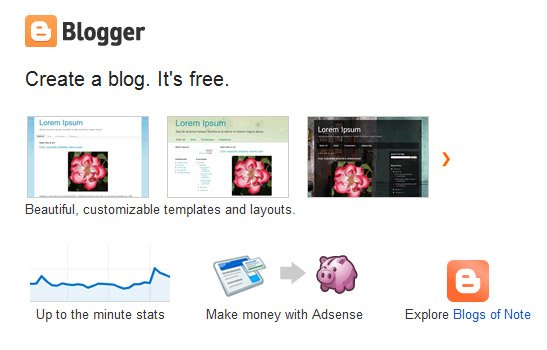
1.Blogger :

Blogger - Best Blog Site
Blogger – Best Blog Site
Blogger is a blog publishing service which allows users to create their free private or multi-user blogs with time-stamped entries. Blogger is created by Pyra Labs, which was bought by Google in 2003. Basically, the blogs are hosted by Google at sub-domains of blogger.com or blogspot.com. Blogger is my first choice for best blog site. most of newbie bloggers are started their blog on blogger.

2.WordPress :

WordPress - Best Blog Site
WordPress – Best Blog Site
WordPress is a most popular open source blogging platform. It allows user to setting up a WordPress blog on their own server (for free) or creating a WordPress-Hosted blog at WordPress.com. WordPress is also allows users to create blog with multiple users. and this my second choice or best blog sites.
Related Posts :

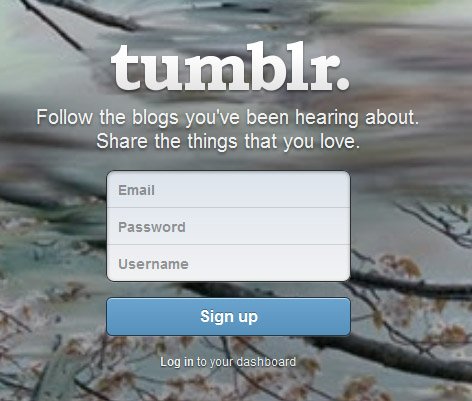
3.Tumblr :

Tumblr - Best Blog Site
Tumblr – Best Blog Site
Thmblr is a Known as a short-form or micro blogging platform that allows users to post text, images, videos, links, quotes and audio to their thmbleog. user can follow other users or choose to make their thmblelog private.

4.Medium :

Medium - Best Blog Site
Medium – Best Blog Site
Medium founded by twitter start-up guy Ev Williams & Biz Stone, This is also one of best blogging platform with extra unique features to annotate work of other people. If you want to get started with medium then just log in from Twitter authentication system and you are ready to comment and blog.

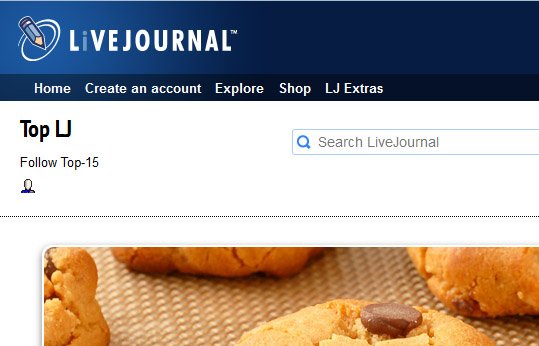
5.LiveJournal :

LiveJournal - Best Blog Site
LiveJournal – Best Blog Site
LiveJournal (LJ) is a community where users can create a blog, journal or diary. LiveJournal is also free and open source server software that was designed to run the LiveJournal virtual community. LiveJournal allows users to create blog in multiple authors, commenting, calendars, and polls. This is different from other blogging sites.

Some More Best Website to Create Your Free Blog :

I hope this article will help you to find useful information about best blog websites for start a new blog for free.

Add Floating Share Widget With Social networking birds


Now you know social bookmarking/networking sites are key thing to get more traffic.So sharing your contents on those site is very important.Most of those sites have high pr rank and you can create quality backlinks to you site.So it is better to add sharing widget.Then others can share your blog very easily.I thinks this floating widget is more beautiful than the common one.So it will get attention of readers easily.Let's see how to add it.


First login to your blogger account and go to design
Scroll down and select html/javascript from the list.
Now copy the below code and paste it on blank space.

Style 1                                                    
<style>


#floatdiv {
position:fixed;
bottom:15%;
margin-left:-10px;
z-index:10;
float:left;
padding-bottom:2px;

}

#mbtsidebar {
background:#fff;
border-top:1px solid #ddd;
border-left:1px solid #ddd;
border-bottom:1px solid #ddd;
border-radius:5px;
-moz-border-radius:5px;
-webkit-border-radius:5px;
padding-left:5px;
width:63px;
margin:0 0 0 5px;
}

.fb_share_count_top {width:52px !important;}

.fb_share_count_top, .fb_share_count_inner {-moz-border-radius:3px;-webkit-border-radius:3px;}

.FBConnectButton_Small, .FBConnectButton_RTL_Small {width:52px !important; -moz-border-radius:3px;/*bs-fsmsb*/-webkit-border-radius:3px;}

.FBConnectButton_Small .FBConnectButton_Text {padding:2px 2px 3px !important;-moz-border-radius:3px;-webkit-border-radius:3px;font-size:8px;}
</style>


<div id="floatdiv">
<div id="mbtsidebar">
<table cellpadding="1px" cellspacing="0">


<tr>
<td style="padding:5px 0px 0px 0;">
<center><img border="0" src="https://blogger.googleusercontent.com/img/b/R29vZ2xl/AVvXsEiljOgYKVfpWQyUtRaRD_Ay8NPoxk3Dp9vGOk2DcGphe_8zHhZY9BSxULFM0NL2NAqMxRBJRLY6q_b-7QS3ujl1RFh3lLKtHKKqEJWHroR9EwmjoKOIlREZ37ztJxdtmOeJtDAe9TbyiT1W/s1600/twitter+2.png" />
<a href="http://twitter.com/share" class="twitter-share-button" data-count="none" data-via="vikramtipz">Tweet</a><script type="text/javascript" src="http://platform.twitter.com/widgets.js"></script>
</center> </td>
</tr>

<tr>
<td style="padding:5px 0 2px 0;">
<center><img border="0" src="https://blogger.googleusercontent.com/img/b/R29vZ2xl/AVvXsEhp_DQ3CltPldpS0agQ7zhrevIFBsr_bUx3k_9ZFVlNtOEir4j96gMkQ_05O01guhTWxt6bySr55mDQ_IlEw9voodZTBuxAzwfPPRJxfuKnxS-5Z9_IQOvgoMwV-QhOMdABj63wVit0A9gr/s1600/facebook+bird+2.png" />
<a name="fb_share" type="" href="http://www.facebook.com/sharer.php">Share</a><script src="http://static.ak.fbcdn.net/connect.php/js/FB.Share" type="text/javascript"></script></center>
</td>
</tr>
<tr>
<td style=" padding:5px 0px 0px 0px;">
<center>

<img border="0" src="https://blogger.googleusercontent.com/img/b/R29vZ2xl/AVvXsEiMP03rDRQZ_84G1GNBV6_WFY3UkbHh43jYxCrGUOac5UNiabxTGRAw1UtZrVvMXpMEXOpIRponypxT4scTmWfOvNMyC_2-oI2fWUD8i3kV2odt5nT3JWxdH9relxOzQHyNfQDDNqQtel0Z/s1600/goog%253Be+plus4.png" />
<!-- Place this tag where you want the +1 button to render -->
<g:plusone size="tall" annotation="none"></g:plusone>

<!-- Place this render call where appropriate -->
<script type="text/javascript">
(function() {
var po = document.createElement('script'); po.type = 'text/javascript'; po.async = true;
po.src = 'https://apis.google.com/js/plusone.js';
var s = document.getElementsByTagName('script')[0]; s.parentNode.insertBefore(po, s);
})();
</script>

</center>

</td>
</tr>
<tr>
<td style=" padding:5px 0px 2px 0px;">

<center>
<img border="0" src="https://blogger.googleusercontent.com/img/b/R29vZ2xl/AVvXsEiFkI9TSJge00I37n0rC_Z6MhllB7LQNDB0a0DkTjXsTnhyphenhyphenMJNSU51so0fE036NefMHlro6MphBANO6zUej3YN9zRLNc-ya8GHHpjwNIvpSrPYCCyKq-4SrQa6v-WV1ktY0UwEnLYla04xm/s1600/stumble+2.png" />
<!-- Place this tag where you want the su badge to render -->
<su:badge layout="3"></su:badge>

<!-- Place this snippet wherever appropriate -->
<script type="text/javascript">
(function() {
var li = document.createElement('script'); li.type = 'text/javascript'; li.async = true;
li.src = 'https://platform.stumbleupon.com/1/widgets.js';
var s = document.getElementsByTagName('script')[0]; s.parentNode.insertBefore(li, s);
})();
</script></center>

</td>
</tr>

<tr>
<td style=" padding:5px 0px 2px 0px;"><center>
<a href="http://digg.com/submit?&jump=close&url='+encodeURIComponent(location.href)+'&title='+encodeURIComponent(document.title), 'diggs','toolbar=no,width=1020,height=600'); return false;" onclick="window.open('http://digg.com/submit?&jump=close&url='+encodeURIComponent(location.href)+'&title='+encodeURIComponent(document.title), 'digg','toolbar=no,width=1020,height=600'); return false;"><img src="https://blogger.googleusercontent.com/img/b/R29vZ2xl/AVvXsEi99YbovjMQxF702JIAHLwMCWmQYXujij8qWIgPfYQ1pEdGirkx_0Et3w-aCf_e0Q3AZp4ZUEvDAgxGpmWnKdrGuBCA2bro6Tqe59AlXAHEd5onhNyytm7wRj4GYwvFSEQZwiYPw1BNw8EH/s1600/digg+2.png" alt="Digg button" width="50" height="50" border="0" /></a><center>
<b><span style="font-size: small;">&nbsp; <a href="http://digg.com/submit?&jump=close&url='+encodeURIComponent(location.href)+'&title='+encodeURIComponent(document.title), 'diggs','toolbar=no,width=1020,height=600'); return false;" target="_blank">DIGG</a></span></b>
</center></center></td>
</tr>
<tr>
<td>
<center>
<p style=" line-height:0px; font-size:10px; font-weight:bold; text-align:center;"><a style="color:#D3D3D3;" href="

http://www.tech-cave.com/2012/01/add-floating-share-widget-with-social.html
">Get This</a></p></center>
</td>
</tr>
</table>
</div>
</div>

Replace vikramtipz with your twitter name


Style 2 - Transparent                                      

<style> #floatdiv { position:fixed; bottom:15%; margin-left:-10px; z-index:10; float:left; padding-bottom:2px; } #mbtsidebar { background:#fff; border-top:5px solid #ddd; border-left:5px solid #ddd; border-bottom:5px solid #ddd; border-right:5px solid #ddd; border-radius:5px; -moz-border-radius:5px; -webkit-border-radius:5px; padding-left:5px; width:63px; margin:0 0 0 5px; background-repeat:no-repeat; background-color:transparent;} } .fb_share_count_top {width:52px !important;} .fb_share_count_top, .fb_share_count_inner {-moz-border-radius:3px;-webkit-border-radius:3px;} .FBConnectButton_Small, .FBConnectButton_RTL_Small {width:52px !important; -moz-border-radius:3px;/*bs-fsmsb*/-webkit-border-radius:3px;} .FBConnectButton_Small .FBConnectButton_Text {padding:2px 2px 3px !important;-moz-border-radius:3px;-webkit-border-radius:3px;font-size:8px;} </style> <div id="floatdiv"> <div id="mbtsidebar"> <table cellpadding="1px" cellspacing="0"> <tr> <td style="padding:5px 0px 0px 0;"> <center><img border="0" src="https://blogger.googleusercontent.com/img/b/R29vZ2xl/AVvXsEiljOgYKVfpWQyUtRaRD_Ay8NPoxk3Dp9vGOk2DcGphe_8zHhZY9BSxULFM0NL2NAqMxRBJRLY6q_b-7QS3ujl1RFh3lLKtHKKqEJWHroR9EwmjoKOIlREZ37ztJxdtmOeJtDAe9TbyiT1W/s1600/twitter+2.png" /> <a href="http://twitter.com/share" class="twitter-share-button" data-count="none" data-via="vikramtipz">Tweet</a><script type="text/javascript" src="http://platform.twitter.com/widgets.js"></script> </center> </td> </tr> <tr> <td style="padding:5px 0 2px 0;"> <center><img border="0" src="https://blogger.googleusercontent.com/img/b/R29vZ2xl/AVvXsEhp_DQ3CltPldpS0agQ7zhrevIFBsr_bUx3k_9ZFVlNtOEir4j96gMkQ_05O01guhTWxt6bySr55mDQ_IlEw9voodZTBuxAzwfPPRJxfuKnxS-5Z9_IQOvgoMwV-QhOMdABj63wVit0A9gr/s1600/facebook+bird+2.png" /> <a name="fb_share" type="" href="http://www.facebook.com/sharer.php">Share</a><script src="http://static.ak.fbcdn.net/connect.php/js/FB.Share" type="text/javascript"></script></center> </td> </tr> <tr> <td style=" padding:5px 0px 0px 0px;"> <center> <img border="0" src="https://blogger.googleusercontent.com/img/b/R29vZ2xl/AVvXsEiMP03rDRQZ_84G1GNBV6_WFY3UkbHh43jYxCrGUOac5UNiabxTGRAw1UtZrVvMXpMEXOpIRponypxT4scTmWfOvNMyC_2-oI2fWUD8i3kV2odt5nT3JWxdH9relxOzQHyNfQDDNqQtel0Z/s1600/goog%253Be+plus4.png" /> <!-- Place this tag where you want the +1 button to render --> <g:plusone size="tall" annotation="none"></g:plusone> <!-- Place this render call where appropriate --> <script type="text/javascript"> (function() { var po = document.createElement('script'); po.type = 'text/javascript'; po.async = true; po.src = 'https://apis.google.com/js/plusone.js'; var s = document.getElementsByTagName('script')[0]; s.parentNode.insertBefore(po, s); })(); </script> </center> </td> </tr> <tr> <td style=" padding:5px 0px 2px 0px;"> <center> <img border="0" src="https://blogger.googleusercontent.com/img/b/R29vZ2xl/AVvXsEiFkI9TSJge00I37n0rC_Z6MhllB7LQNDB0a0DkTjXsTnhyphenhyphenMJNSU51so0fE036NefMHlro6MphBANO6zUej3YN9zRLNc-ya8GHHpjwNIvpSrPYCCyKq-4SrQa6v-WV1ktY0UwEnLYla04xm/s1600/stumble+2.png" /> <!-- Place this tag where you want the su badge to render --> <su:badge layout="3"></su:badge> <!-- Place this snippet wherever appropriate --> <script type="text/javascript"> (function() { var li = document.createElement('script'); li.type = 'text/javascript'; li.async = true; li.src = 'https://platform.stumbleupon.com/1/widgets.js'; var s = document.getElementsByTagName('script')[0]; s.parentNode.insertBefore(li, s); })(); </script></center> </td> </tr> <tr> <td style=" padding:5px 0px 2px 0px;"><center> <a href="http://digg.com/submit?&jump=close&url='+encodeURIComponent(location.href)+'&title='+encodeURIComponent(document.title), 'diggs','toolbar=no,width=1020,height=600'); return false;" onclick="window.open('http://digg.com/submit?&jump=close&url='+encodeURIComponent(location.href)+'&title='+encodeURIComponent(document.title), 'digg','toolbar=no,width=1020,height=600'); return false;"><img src="https://blogger.googleusercontent.com/img/b/R29vZ2xl/AVvXsEi99YbovjMQxF702JIAHLwMCWmQYXujij8qWIgPfYQ1pEdGirkx_0Et3w-aCf_e0Q3AZp4ZUEvDAgxGpmWnKdrGuBCA2bro6Tqe59AlXAHEd5onhNyytm7wRj4GYwvFSEQZwiYPw1BNw8EH/s1600/digg+2.png" alt="Digg button" width="40" height="40" border="0" /></a><center> <b><span style="font-size: small;">&nbsp; <a href="http://digg.com/submit?&jump=close&url='+encodeURIComponent(location.href)+'&title='+encodeURIComponent(document.title), 'diggs','toolbar=no,width=1020,height=600'); return false;" target="_blank">DIGG</a></span></b> </center></center></td></tr> <tr> <td> <center> <p style=" line-height:0px; font-size:10px; font-weight:bold; text-align:center;"><a style="color:#D3D3D3;" href="http://www.tech-cave.com/2012/01/add-floating-share-widget-with-social.html">Get This</a></p></center> </td> </tr> </table> </div> </div>

Replace vikramtipz with your twitter name 

Now save it.You are done.


Share this with your friends.If you got something don't forget to put a comment 

Wednesday, 9 October 2013

HOW TO ADD ANIMATED BUTTONS IN BLOGGER


Animated Buttons For Blogger : Let's Do Something interesting , today we are going to share some beautiful style buttons which can be easily made by using CSS.Actually these buttons makes your "download links" attractive and stylish.For adding these buttons you have to add a Script in template HTML , so first backup your Blog Template and then implement this hack !

How To Add Animated Buttons In Blogger

  • Go To Blogger
  • Click On Template
  • Edit HTML
  • Search For  ]]></b:skin> 
  • Copy the Below CSS Script and paste it above  ]]></b:skin>
CSS Script


.button {display: inline-block;position: relative;padding: 10px 20px;-webkit-border-radius: 8px;-moz-border-radius: 8px;border-radius: 8px;text-decoration: none!important;text-shadow: 1px 1px 0 rgba(255,255,255,0.4);font: 15px Calibri,Arial,sans-serif;white-space: nowrap;vertical-align: baseline;background-image: url('https://blogger.googleusercontent.com/img/b/R29vZ2xl/AVvXsEiQgXVEc222BNWKyi5CmInF_5PZ6plZqzhwyJqNb5PU8Pir8OzSiXWn0uIghCa3jKzG1gkns1rTeWX-SjZOR8cplkCV0ldaHs6s0TQIO58cut0c6yFkRQkQHqbQMmO-dOu7lzWJInMfHlDt/s144/button_bg.png');background-position: bottom left;background-position: bottom left,top right,0 0,0 0;background-repeat: no-repeat;background-clip: border-box;-webkit-box-shadow: 0 0 1px #fff inset;-moz-box-shadow: 0 0 1px #fff inset;box-shadow: 0 0 1px #fff inset;-webkit-transition: background-position 1s;-moz-transition: background-position 1s;transition: background-position 1s;cursor: pointer;}
.button:hover {background-position: top left;background-position: top left,bottom right,0 0,0 0;}
.button:active {bottom: -1px;}
.button.big {font-size: 30px;}
.button.medium {font-size: 18px;}
.button.small {font-size: 13px;}
.blue.button {border: 1px solid #84acc3!important;color: #0f4b6d!important;background-color: #48b5f2;background-image: url('https://blogger.googleusercontent.com/img/b/R29vZ2xl/AVvXsEiQgXVEc222BNWKyi5CmInF_5PZ6plZqzhwyJqNb5PU8Pir8OzSiXWn0uIghCa3jKzG1gkns1rTeWX-SjZOR8cplkCV0ldaHs6s0TQIO58cut0c6yFkRQkQHqbQMmO-dOu7lzWJInMfHlDt/s144/button_bg.png'), url('https://blogger.googleusercontent.com/img/b/R29vZ2xl/AVvXsEiQgXVEc222BNWKyi5CmInF_5PZ6plZqzhwyJqNb5PU8Pir8OzSiXWn0uIghCa3jKzG1gkns1rTeWX-SjZOR8cplkCV0ldaHs6s0TQIO58cut0c6yFkRQkQHqbQMmO-dOu7lzWJInMfHlDt/s144/button_bg.png') ,-moz-radial-gradient(center bottom,circle,rgba(89,208,244,1) 0,rgba(89,208,244,0) 100px),-moz-linear-gradient(#4fbbf7,#3faeeb);background-image: url('https://blogger.googleusercontent.com/img/b/R29vZ2xl/AVvXsEiQgXVEc222BNWKyi5CmInF_5PZ6plZqzhwyJqNb5PU8Pir8OzSiXWn0uIghCa3jKzG1gkns1rTeWX-SjZOR8cplkCV0ldaHs6s0TQIO58cut0c6yFkRQkQHqbQMmO-dOu7lzWJInMfHlDt/s144/button_bg.png'), url('https://blogger.googleusercontent.com/img/b/R29vZ2xl/AVvXsEiQgXVEc222BNWKyi5CmInF_5PZ6plZqzhwyJqNb5PU8Pir8OzSiXWn0uIghCa3jKzG1gkns1rTeWX-SjZOR8cplkCV0ldaHs6s0TQIO58cut0c6yFkRQkQHqbQMmO-dOu7lzWJInMfHlDt/s144/button_bg.png') ,-webkit-gradient(radial,50% 100%,0,50% 100%,100,from(rgba(89,208,244,1) ),to(rgba(89,208,244,0) )),-webkit-gradient(linear,0% 0,0% 100%,from(#4fbbf7),to(#3faeeb));}
.blue.button:hover {background-color: #63c7fe;background-image: url('https://blogger.googleusercontent.com/img/b/R29vZ2xl/AVvXsEiQgXVEc222BNWKyi5CmInF_5PZ6plZqzhwyJqNb5PU8Pir8OzSiXWn0uIghCa3jKzG1gkns1rTeWX-SjZOR8cplkCV0ldaHs6s0TQIO58cut0c6yFkRQkQHqbQMmO-dOu7lzWJInMfHlDt/s144/button_bg.png'), url('https://blogger.googleusercontent.com/img/b/R29vZ2xl/AVvXsEiQgXVEc222BNWKyi5CmInF_5PZ6plZqzhwyJqNb5PU8Pir8OzSiXWn0uIghCa3jKzG1gkns1rTeWX-SjZOR8cplkCV0ldaHs6s0TQIO58cut0c6yFkRQkQHqbQMmO-dOu7lzWJInMfHlDt/s144/button_bg.png') ,-moz-radial-gradient(center bottom,circle,rgba(109,217,250,1) 0,rgba(109,217,250,0) 100px),-moz-linear-gradient(#63c7fe,#58bef7);background-image: url('https://blogger.googleusercontent.com/img/b/R29vZ2xl/AVvXsEiQgXVEc222BNWKyi5CmInF_5PZ6plZqzhwyJqNb5PU8Pir8OzSiXWn0uIghCa3jKzG1gkns1rTeWX-SjZOR8cplkCV0ldaHs6s0TQIO58cut0c6yFkRQkQHqbQMmO-dOu7lzWJInMfHlDt/s144/button_bg.png'), url('https://blogger.googleusercontent.com/img/b/R29vZ2xl/AVvXsEiQgXVEc222BNWKyi5CmInF_5PZ6plZqzhwyJqNb5PU8Pir8OzSiXWn0uIghCa3jKzG1gkns1rTeWX-SjZOR8cplkCV0ldaHs6s0TQIO58cut0c6yFkRQkQHqbQMmO-dOu7lzWJInMfHlDt/s144/button_bg.png') ,-webkit-gradient(radial,50% 100%,0,50% 100%,100,from(rgba(109,217,250,1) ),to(rgba(109,217,250,0) )),-webkit-gradient(linear,0% 0,0% 100%,from(#63c7fe),to(#58bef7));}
.green.button {border: 1px solid #96a37b!important;color: #345903!important;background-color: #79be1e;background-image: url('https://blogger.googleusercontent.com/img/b/R29vZ2xl/AVvXsEiQgXVEc222BNWKyi5CmInF_5PZ6plZqzhwyJqNb5PU8Pir8OzSiXWn0uIghCa3jKzG1gkns1rTeWX-SjZOR8cplkCV0ldaHs6s0TQIO58cut0c6yFkRQkQHqbQMmO-dOu7lzWJInMfHlDt/s144/button_bg.png'), url('https://blogger.googleusercontent.com/img/b/R29vZ2xl/AVvXsEiQgXVEc222BNWKyi5CmInF_5PZ6plZqzhwyJqNb5PU8Pir8OzSiXWn0uIghCa3jKzG1gkns1rTeWX-SjZOR8cplkCV0ldaHs6s0TQIO58cut0c6yFkRQkQHqbQMmO-dOu7lzWJInMfHlDt/s144/button_bg.png') ,-moz-radial-gradient(center bottom,circle,rgba(162,211,30,1) 0,rgba(162,211,30,0) 100px),-moz-linear-gradient(#82cc27,#74b317);background-image: url('https://blogger.googleusercontent.com/img/b/R29vZ2xl/AVvXsEiQgXVEc222BNWKyi5CmInF_5PZ6plZqzhwyJqNb5PU8Pir8OzSiXWn0uIghCa3jKzG1gkns1rTeWX-SjZOR8cplkCV0ldaHs6s0TQIO58cut0c6yFkRQkQHqbQMmO-dOu7lzWJInMfHlDt/s144/button_bg.png'), url('https://blogger.googleusercontent.com/img/b/R29vZ2xl/AVvXsEiQgXVEc222BNWKyi5CmInF_5PZ6plZqzhwyJqNb5PU8Pir8OzSiXWn0uIghCa3jKzG1gkns1rTeWX-SjZOR8cplkCV0ldaHs6s0TQIO58cut0c6yFkRQkQHqbQMmO-dOu7lzWJInMfHlDt/s144/button_bg.png') ,-webkit-gradient(radial,50% 100%,0,50% 100%,100,from(rgba(162,211,30,1) ),to(rgba(162,211,30,0) )),-webkit-gradient(linear,0% 0,0% 100%,from(#82cc27),to(#74b317));}
.green.button:hover {background-color: #89d228;background-image: url('https://blogger.googleusercontent.com/img/b/R29vZ2xl/AVvXsEiQgXVEc222BNWKyi5CmInF_5PZ6plZqzhwyJqNb5PU8Pir8OzSiXWn0uIghCa3jKzG1gkns1rTeWX-SjZOR8cplkCV0ldaHs6s0TQIO58cut0c6yFkRQkQHqbQMmO-dOu7lzWJInMfHlDt/s144/button_bg.png'), url('https://blogger.googleusercontent.com/img/b/R29vZ2xl/AVvXsEiQgXVEc222BNWKyi5CmInF_5PZ6plZqzhwyJqNb5PU8Pir8OzSiXWn0uIghCa3jKzG1gkns1rTeWX-SjZOR8cplkCV0ldaHs6s0TQIO58cut0c6yFkRQkQHqbQMmO-dOu7lzWJInMfHlDt/s144/button_bg.png') ,-moz-radial-gradient(center bottom,circle,rgba(183,229,45,1) 0,rgba(183,229,45,0) 100px),-moz-linear-gradient(#90de31,#7fc01e);background-image: url('https://blogger.googleusercontent.com/img/b/R29vZ2xl/AVvXsEiQgXVEc222BNWKyi5CmInF_5PZ6plZqzhwyJqNb5PU8Pir8OzSiXWn0uIghCa3jKzG1gkns1rTeWX-SjZOR8cplkCV0ldaHs6s0TQIO58cut0c6yFkRQkQHqbQMmO-dOu7lzWJInMfHlDt/s144/button_bg.png'), url('https://blogger.googleusercontent.com/img/b/R29vZ2xl/AVvXsEiQgXVEc222BNWKyi5CmInF_5PZ6plZqzhwyJqNb5PU8Pir8OzSiXWn0uIghCa3jKzG1gkns1rTeWX-SjZOR8cplkCV0ldaHs6s0TQIO58cut0c6yFkRQkQHqbQMmO-dOu7lzWJInMfHlDt/s144/button_bg.png') ,-webkit-gradient(radial,50% 100%,0,50% 100%,100,from(rgba(183,229,45,1) ),to(rgba(183,229,45,0) )),-webkit-gradient(linear,0% 0,0% 100%,from(#90de31),to(#7fc01e));}
.orange.button {border: 1px solid #bea280!important;color: #693e0a!important;background-color: #e38d27;background-image: url('https://blogger.googleusercontent.com/img/b/R29vZ2xl/AVvXsEiQgXVEc222BNWKyi5CmInF_5PZ6plZqzhwyJqNb5PU8Pir8OzSiXWn0uIghCa3jKzG1gkns1rTeWX-SjZOR8cplkCV0ldaHs6s0TQIO58cut0c6yFkRQkQHqbQMmO-dOu7lzWJInMfHlDt/s144/button_bg.png'), url('https://blogger.googleusercontent.com/img/b/R29vZ2xl/AVvXsEiQgXVEc222BNWKyi5CmInF_5PZ6plZqzhwyJqNb5PU8Pir8OzSiXWn0uIghCa3jKzG1gkns1rTeWX-SjZOR8cplkCV0ldaHs6s0TQIO58cut0c6yFkRQkQHqbQMmO-dOu7lzWJInMfHlDt/s144/button_bg.png') ,-moz-radial-gradient(center bottom,circle,rgba(232,189,45,1) 0,rgba(232,189,45,0) 100px),-moz-linear-gradient(#f1982f,#d4821f);background-image: url('https://blogger.googleusercontent.com/img/b/R29vZ2xl/AVvXsEiQgXVEc222BNWKyi5CmInF_5PZ6plZqzhwyJqNb5PU8Pir8OzSiXWn0uIghCa3jKzG1gkns1rTeWX-SjZOR8cplkCV0ldaHs6s0TQIO58cut0c6yFkRQkQHqbQMmO-dOu7lzWJInMfHlDt/s144/button_bg.png'), url('https://blogger.googleusercontent.com/img/b/R29vZ2xl/AVvXsEiQgXVEc222BNWKyi5CmInF_5PZ6plZqzhwyJqNb5PU8Pir8OzSiXWn0uIghCa3jKzG1gkns1rTeWX-SjZOR8cplkCV0ldaHs6s0TQIO58cut0c6yFkRQkQHqbQMmO-dOu7lzWJInMfHlDt/s144/button_bg.png') ,-webkit-gradient(radial,50% 100%,0,50% 100%,100,from(rgba(232,189,45,1) ),to(rgba(232,189,45,0) )),-webkit-gradient(linear,0% 0,0% 100%,from(#f1982f),to(#d4821f));}
.orange.button:hover {background-color: #ec9732;background-image: url('https://blogger.googleusercontent.com/img/b/R29vZ2xl/AVvXsEiQgXVEc222BNWKyi5CmInF_5PZ6plZqzhwyJqNb5PU8Pir8OzSiXWn0uIghCa3jKzG1gkns1rTeWX-SjZOR8cplkCV0ldaHs6s0TQIO58cut0c6yFkRQkQHqbQMmO-dOu7lzWJInMfHlDt/s144/button_bg.png'), url('https://blogger.googleusercontent.com/img/b/R29vZ2xl/AVvXsEiQgXVEc222BNWKyi5CmInF_5PZ6plZqzhwyJqNb5PU8Pir8OzSiXWn0uIghCa3jKzG1gkns1rTeWX-SjZOR8cplkCV0ldaHs6s0TQIO58cut0c6yFkRQkQHqbQMmO-dOu7lzWJInMfHlDt/s144/button_bg.png') ,-moz-radial-gradient(center bottom,circle,rgba(241,192,52,1) 0,rgba(241,192,52,0) 100px),-moz-linear-gradient(#f9a746,#e18f2b);background-image: url('https://blogger.googleusercontent.com/img/b/R29vZ2xl/AVvXsEiQgXVEc222BNWKyi5CmInF_5PZ6plZqzhwyJqNb5PU8Pir8OzSiXWn0uIghCa3jKzG1gkns1rTeWX-SjZOR8cplkCV0ldaHs6s0TQIO58cut0c6yFkRQkQHqbQMmO-dOu7lzWJInMfHlDt/s144/button_bg.png'), url('https://blogger.googleusercontent.com/img/b/R29vZ2xl/AVvXsEiQgXVEc222BNWKyi5CmInF_5PZ6plZqzhwyJqNb5PU8Pir8OzSiXWn0uIghCa3jKzG1gkns1rTeWX-SjZOR8cplkCV0ldaHs6s0TQIO58cut0c6yFkRQkQHqbQMmO-dOu7lzWJInMfHlDt/s144/button_bg.png') ,-webkit-gradient(radial,50% 100%,0,50% 100%,100,from(rgba(241,192,52,1) ),to(rgba(241,192,52,0) )),-webkit-gradient(linear,0% 0,0% 100%,from(#f9a746),to(#e18f2b));}
.gray.button {border: 1px solid #a5a5a5!important;color: #525252!important;background-color: #a9adb1;background-image: url('https://blogger.googleusercontent.com/img/b/R29vZ2xl/AVvXsEiQgXVEc222BNWKyi5CmInF_5PZ6plZqzhwyJqNb5PU8Pir8OzSiXWn0uIghCa3jKzG1gkns1rTeWX-SjZOR8cplkCV0ldaHs6s0TQIO58cut0c6yFkRQkQHqbQMmO-dOu7lzWJInMfHlDt/s144/button_bg.png'), url('https://blogger.googleusercontent.com/img/b/R29vZ2xl/AVvXsEiQgXVEc222BNWKyi5CmInF_5PZ6plZqzhwyJqNb5PU8Pir8OzSiXWn0uIghCa3jKzG1gkns1rTeWX-SjZOR8cplkCV0ldaHs6s0TQIO58cut0c6yFkRQkQHqbQMmO-dOu7lzWJInMfHlDt/s144/button_bg.png') ,-moz-radial-gradient(center bottom,circle,rgba(197,199,202,1) 0,rgba(197,199,202,0) 100px),-moz-linear-gradient(#c5c7ca,#92989c);background-image: url('https://blogger.googleusercontent.com/img/b/R29vZ2xl/AVvXsEiQgXVEc222BNWKyi5CmInF_5PZ6plZqzhwyJqNb5PU8Pir8OzSiXWn0uIghCa3jKzG1gkns1rTeWX-SjZOR8cplkCV0ldaHs6s0TQIO58cut0c6yFkRQkQHqbQMmO-dOu7lzWJInMfHlDt/s144/button_bg.png'), url('https://blogger.googleusercontent.com/img/b/R29vZ2xl/AVvXsEiQgXVEc222BNWKyi5CmInF_5PZ6plZqzhwyJqNb5PU8Pir8OzSiXWn0uIghCa3jKzG1gkns1rTeWX-SjZOR8cplkCV0ldaHs6s0TQIO58cut0c6yFkRQkQHqbQMmO-dOu7lzWJInMfHlDt/s144/button_bg.png') ,-webkit-gradient(radial,50% 100%,0,50% 100%,100,from(rgba(197,199,202,1) ),to(rgba(197,199,202,0) )),-webkit-gradient(linear,0% 0,0% 100%,from(#c5c7ca),to(#92989c));}
.gray.button:hover {background-color: #b6bbc0;background-image: url('https://blogger.googleusercontent.com/img/b/R29vZ2xl/AVvXsEiQgXVEc222BNWKyi5CmInF_5PZ6plZqzhwyJqNb5PU8Pir8OzSiXWn0uIghCa3jKzG1gkns1rTeWX-SjZOR8cplkCV0ldaHs6s0TQIO58cut0c6yFkRQkQHqbQMmO-dOu7lzWJInMfHlDt/s144/button_bg.png'), url('https://blogger.googleusercontent.com/img/b/R29vZ2xl/AVvXsEiQgXVEc222BNWKyi5CmInF_5PZ6plZqzhwyJqNb5PU8Pir8OzSiXWn0uIghCa3jKzG1gkns1rTeWX-SjZOR8cplkCV0ldaHs6s0TQIO58cut0c6yFkRQkQHqbQMmO-dOu7lzWJInMfHlDt/s144/button_bg.png') ,-moz-radial-gradient(center bottom,circle,rgba(202,205,208,1) 0,rgba(202,205,208,0) 100px),-moz-linear-gradient(#d1d3d6,#9fa5a9);background-image: url('https://blogger.googleusercontent.com/img/b/R29vZ2xl/AVvXsEiQgXVEc222BNWKyi5CmInF_5PZ6plZqzhwyJqNb5PU8Pir8OzSiXWn0uIghCa3jKzG1gkns1rTeWX-SjZOR8cplkCV0ldaHs6s0TQIO58cut0c6yFkRQkQHqbQMmO-dOu7lzWJInMfHlDt/s144/button_bg.png'), url('https://blogger.googleusercontent.com/img/b/R29vZ2xl/AVvXsEiQgXVEc222BNWKyi5CmInF_5PZ6plZqzhwyJqNb5PU8Pir8OzSiXWn0uIghCa3jKzG1gkns1rTeWX-SjZOR8cplkCV0ldaHs6s0TQIO58cut0c6yFkRQkQHqbQMmO-dOu7lzWJInMfHlDt/s144/button_bg.png') ,-webkit-gradient(radial,50% 100%,0,50% 100%,100,from(rgba(202,205,208,1) ),to(rgba(202,205,208,0) )),-webkit-gradient(linear,0% 0,0% 100%,from(#d1d3d6),to(#9fa5a9));}
  • After adding this CSS Script Save the template!
  • Now Add any of the below HTML Code/Script in Post where you want to appear the Buttons.

 HTML For Large Size Buttons


<a class="button big blue" href="#">text</a>
<a class="button big green" href="#">text</a>
<a class="button big orange" href="#">text</a>
<a class="button big gray" href="#">Text</a> 

HTML For Media Size Buttons


<a class="button medium blue" href="#">text</a>
<a class="button medium green" href="#">text</a>
<a class="button medium orange" href="#">text</a>
<a class="button medium gray" href="#">Text</a>


Customization : 
Replace # in the script(HTML) with the URL and Text with the Anchor Text . 

So What's Up : Adding these Bubble Buttons makes your post more attractive and Cool.So if You Can why not implement it?Stay Blessed , Happy Blogging!

How To Get Free Unlimited Backlink To Your Blog


How To Get Free Unlimited Backlink To Your Blog

Backlinking is the succes of every blogger because I am now getting thousands of impresions one day and I want to share it with you guys. check this out


Also Read :  4 Best Ways To Build High Quality Backlinks

How To Get 5,000 Automated Backlinks?


1. FreeBacklinkTool:This website allows you to create 500 backlinks within minutes. The links you create here will help your website rank higher in search engines and get attention by major search engines likeGoogle, Yahoo & Bing.


You do need to create an account but it is 100% Free To register.

2. IMTalk: This website is AMAZING and allows you to create 2523 backlinks! It does take longer than FreeBacklinkTool but it all runs in the background. It will take about an hour to hour and a half to complete.


This is also 100% FREE but they do have a forum to which you can register and I highly recommend.

3. BacklinkGenerator: This site is also extremely useful and MUCH quicker then the other too but it only creates 325 backlinks in about 5 minutes.


Again this is 100% FREE and no account required.

4. BulkPing: I absolutely love BulkPing and will also be talking about using their service for getting your backlinks indexed but for now we will be using it to generate over 3500 backlinks!! Yes FREE 3500 automated backlinks!


Also Read :  4 Best Ways To Build High Quality Backlinks

Now I do have to let you know Bulkping works great but sometimes it does not create all 3500 links. Sometimes in only does 1,000 and other times 2,000. I’m not sure why this varies but it still works just fine.

Also this one takes the longest of the 3 at about 90 minutes to 2 hours to complete.

That is pretty much it you can easily use these 4 sources to index your website or send some link juice to your already established website.

You can also submit your site to these websites multiple times a month if you’d like.

I hope you found this article helpful and you create your backlinks!To Your Backlinking Success, !!!!!!!!


4 Best Ways To Build High Quality Backlinks

4 Best Ways To Build High Quality Backlinks


4 best ways to build high quality backlinks


Well I am sure that everybody want to build up best and high quality backlinks towards his blog to drive more traffic. Here are the few tips that helps you in getting high quality and best baclinks for your blog :-


1. Blog Commenting :- 

Blog commenting
Commenting in different websites together with your applicable area of interest is amongst the ideal methods to build back-links. But you need to remember that merely dofollow blogs will cross anyone web page link juice although no abide by websites can easily merely cross anyone traffic. However web site commenting has a few other gains than just web page link developing. It may help anyone connect to anyone man bloggers and boost your current blog's publicity and awareness on the web. Furthermore you should not use opinion package exclusively for spamming and web page link developing. Instead you need to work with both we. at the. developing one way links and next to each other appreciating the writer. Seeing that reviews aids stimulate the writer you need to manage this particular point as well. It might be sugar about the wedding cake in the event that you possibly can find dofollow websites along with opinion love top quality enabled in it as that will help anyone assemble one way links with your personal search phrase as well as web page link your current latest publish of your web site.

2. Guest Posting :- 

write a guest post
This kind of is amongst the most chosen ways of developing simple one way links by a lot of the bloggers. The majority of the popular websites accept visitor placing on their web site that not just direct you towards raising one way links but also assists you get high quality and good amount of traffic for the web site. You are able to distribute a few of your very best self and exclusive articles regarding publishing in order to sites along with good domain specialist. Although obtaining a visitor publish approved in good specialist websites is not an easy task. You will need to try to produce this kind of educational and explanative publish in order that the manager doesn't have a purpose in order to decline that. A little effort although producing visitor publish can easily get anyone excellent final results for the web site.

3. Forum And Article Marketing 

Forum And Article Marketing
We've noticed an extremely distinctive float within utilizingcommunity forums as a method to generate one way links for the web site. Message boards include the places and connect to other people and use your current blog's web page link while in register practice or maybe as your current unique. This will help to anyone within developing an exceptional backlink for the web site. A fresh forum along with a lot fewer people can offer you a highly authoritative backlink for the web site compared to older community forums as the volume of backlinks in these kind of community forums are generally therefore large that this web page link juice will become negligible. Furthermore marketing your web site by using article marketing sites can assist you designed top quality one way links for the web site. The method of having web page link can be just like visitor placing we. at the. you need to distribute your current articles in order to article banks that upon critiquing your website publish post these individuals on their web site and in this manner you possibly can receive a web page link for the web site. Nevertheless, you need to be thorough prior to picking any document service as many of them today are merely web page link plants that happen to be getting devalued by Google Panda's latest formula. And so you have to do some analysis prior to picking a bit of good document service. Ezine and Goarticles are generally some of the best article marketing sites.


4. Social Bookmarking Websites 

Social Bookmarking Websites
Anyone apply numerous web sites like StumbleUpon, Twitting, Facebook or myspace, LinkedIn and Delicious in order to book mark your current web sites and that can assist you generate simple back-links for the web site. But if your publish is going viral within Delicious or maybe StumbleUpon you'll be able to likewise obtain large amount regarding traffic for the web site. Furthermore you will find lots of websites that allow posting your web site for many years like Bing and Dmoz that will end developing back-links to your web site. Many times a number of other tiny websites in order to web page link in your website nevertheless you should not choose to go along with these individuals. Seeing that we all know acquiring one way links from low-quality sites can likewise lessen your pagerank. Furthermore Google Algorithms like Panda and Penguin may also punish your web site regarding these kind of poor backlinks.

Conclusion :

Therefore I expect these kind of tips will be plenty of that you assemble simple back-links for the web site. However, in case you have some more approaches or maybe methods next think liberated to reveal these individuals within opinion package beneath.


Copyright @ 2013 Welcome . Designed by Templateism | Love for The Globe Press